
How it works
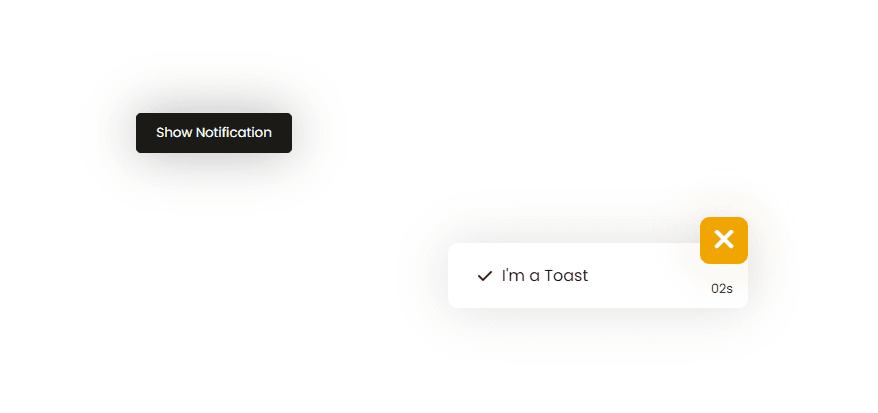
The script moves the toast into view, counts down with setInterval, and hides it after six seconds with setTimeout. The cancel button clears both timers and restores the trigger button.
Example
Add another status message by changing toast_box text before calling the show sequence; keep the button disabled while the toast is visible to prevent overlapping timers.
HTML & CSS:
1
2
3
4
5
6
7
8
9
10
11
12
13
14
15
16
17
18
19
20
21
22
23
24
25
26
27
28
29
30
31
32
33
34
35
36
37
38
39
40
41
42
43
44
45
46
47
48
49
50
51
52
53
54
55
56
57
58
59
60
61
62
63
64
65
66
67
68
69
70
<style>
@import url('https://fonts.googleapis.com/css2?family=Poppins&display=swap');
*{
    margin: 0;
    padding: 0;
    box-sizing: border-box;
    font-family: 'Poppins', sans-serif;
}
body{
    display: flex;
    justify-content: center;
    align-items: center;
    height: 100vh;
}
.btn{
    background: #1B1A17;
    color: white;
    border: none;
    padding: 10px 20px;
    box-shadow: 0 0 50px #00000051;
    cursor: pointer;
    border-radius: 5px;
}
.toast_box{
    position: fixed;
    bottom: 30px;
    right: 20px;
    width: 300px;
    padding: 20px 30px;
    background: #ffffff;
    border-radius: 10px;
    box-shadow: 0 0 50px #00000020;
    display: flex;
    align-items: center;
    transform: translate(110%);
    transition: all .4s;
}
.toast_box p{
    padding-left: 10px;
}
.cancel_btn{
    position: absolute;
    top: -40%;
    right: 0;
    padding: 2px 15px;
    font-size: 1.8em;
    background: #F0A500;
    color: white;
    border: none;
    border-radius: 10px;
    box-shadow: 0 0 50px #f0a4003e;
    cursor: pointer;
}
.seconds{
    position: absolute;
    bottom: 10px;
    right: 15px;
    font-size: .8em;
}
</style>

<button class="btn">Show Notification</button>

<div class="toast_box">
    <i class="fa-solid fa-check"></i>
    <p>I'm a Toast</p>
    <button class="cancel_btn"><i class="fa-solid fa-xmark"></i></button>
    <p class="seconds">05s</p>
</div>
JS Code:
1
2
3
4
const btn = document.querySelector(".btn"); const cancel_btn = document.querySelector(".cancel_btn"); const toast_box = document.querySelector(".toast_box"); const seconds = document.querySelector(".seconds"); let time = 5; let interval; let timeout;
btn.addEventListener("click", () => { btn.setAttribute("disabled", ""); time = 5; toast_box.style.transform = "translate(0%)"; interval = setInterval(() => { time -= 1; seconds.innerHTML = `0${time}s`;}, 1000);
timeout = setTimeout(() => { toast_box.style.transform = "translate(110%)"; time = 5; seconds.innerHTML = `0${time}s`; clearInterval(interval); btn.removeAttribute("disabled", "");}, 6000);});
cancel_btn.addEventListener("click", () => { btn.removeAttribute("disabled", ""); toast_box.style.transform = "translate(110%)"; time = 5; seconds.innerHTML = `0${time}s`; clearInterval(interval); clearTimeout(timeout);})
Expected output
The toast slides into the viewport after activation and shows a five-second countdown. It then slides out, and the action button becomes available again.